The task manager that stayed simple while everything else grew into a platform.
Pricing
Verified 14 Jul 2026· sourceOverview
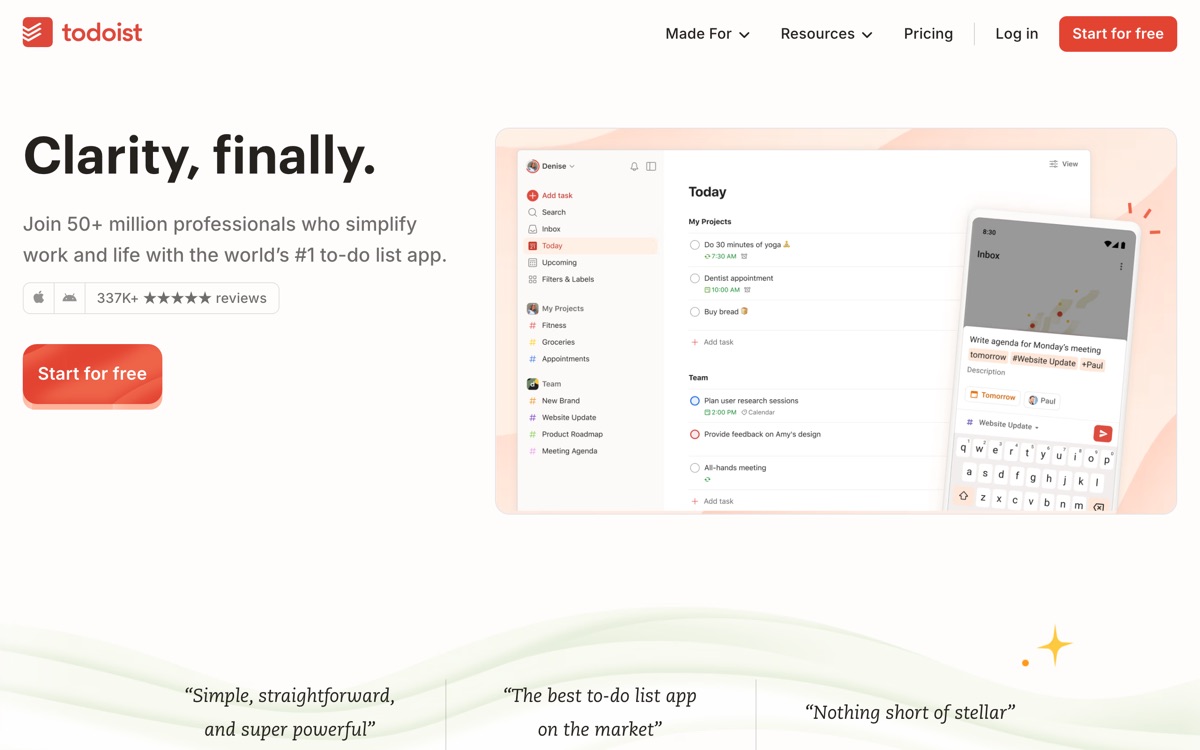
Todoist has been around long enough to have watched every competitor bloat, and its restraint is now its main selling point. It is a task manager: natural language input that parses "submit invoice every Friday at 5pm" correctly, projects, labels, filters, a clean today view, and apps on every platform that are fast and sync reliably. AI has been added carefully — assistance with breaking a vague task into steps, and filter help — rather than being sprayed across the product. The free plan is enough for one person's personal system; paid tiers add reminders, more projects and collaboration. The honest cons: it is deliberately not a project management tool, so if you need dependencies, Gantt charts or resource planning you will outgrow it and should not fight that; its calendar integration is weaker than tools built around time-blocking; and several things a serious user considers essential, including task reminders, sit behind the paywall, which has always felt a little mean for a tool at this price.
Features
Pros & cons
Pros
- Fast, reliable and pleasant to use every day — rarer than it should be
- Natural language input is still the best in the category
- Resisted feature bloat while rivals became unusable platforms
Cons
- Not a project management tool — no dependencies or resource planning
- Reminders and other core features are locked behind the paid tier
- Calendar and time-blocking support is weak compared with scheduling-first tools
- AI features are modest; this is not an AI-first product
Who Todoist is for
Todoist is built for people working with productivity tools. Its free plan makes it easy to evaluate before paying, which suits both individuals and growing teams. Users most often highlight fast, reliable and pleasant to use every day — rarer than it should be.
How Todoist compares in AI Productivity Tools
Within productivity tools, the closest alternatives to Todoist are ClickUp, Notion AI, Mem — it is worth comparing them side by side on price and the specific features you need before deciding.
Todoist pricing
Todoist offers a free plan with paid upgrades. You can start for free and pay only when you need higher limits, advanced features or team seats. See the full Todoist pricing breakdown →
Todoist FAQ
Is Todoist worth it?
Todoist is most often praised for fast, reliable and pleasant to use every day — rarer than it should be. The main trade-off is that not a project management tool — no dependencies or resource planning. For most productivity tools needs it is a credible choice — trial it against one or two alternatives before you commit. ToolsPantry does not yet carry user reviews for this tool.
Is Todoist free?
Todoist offers a free plan with paid upgrades. You can start for free and pay only when you need higher limits, advanced features or team seats.
What are the downsides of Todoist?
The most commonly noted drawbacks are: Not a project management tool — no dependencies or resource planning; Reminders and other core features are locked behind the paid tier; Calendar and time-blocking support is weak compared with scheduling-first tools; AI features are modest; this is not an AI-first product. None are dealbreakers for everyone, but weigh them against your specific workflow.
What are the best alternatives to Todoist?
Strong alternatives in productivity tools include ClickUp, Notion AI, Mem, Motion. See the full ranked list on the Todoist alternatives page.
The verdict
Todoist is a productivity tools option, best known for fast, reliable and pleasant to use every day — rarer than it should be. The main trade-off is that not a project management tool — no dependencies or resource planning. Start on the free plan and compare it against the alternatives below before committing.
Embed a badge
Show visitors Todoist is on ToolsPantry. Paste this into your site — it links back here. About badges →
<a href="https://toolspantry.com/tools/todoist" target="_blank" rel="noopener">
  <img src="https://toolspantry.com/tools/todoist/badge" alt="Todoist on ToolsPantry" width="252" height="60" />
</a>