
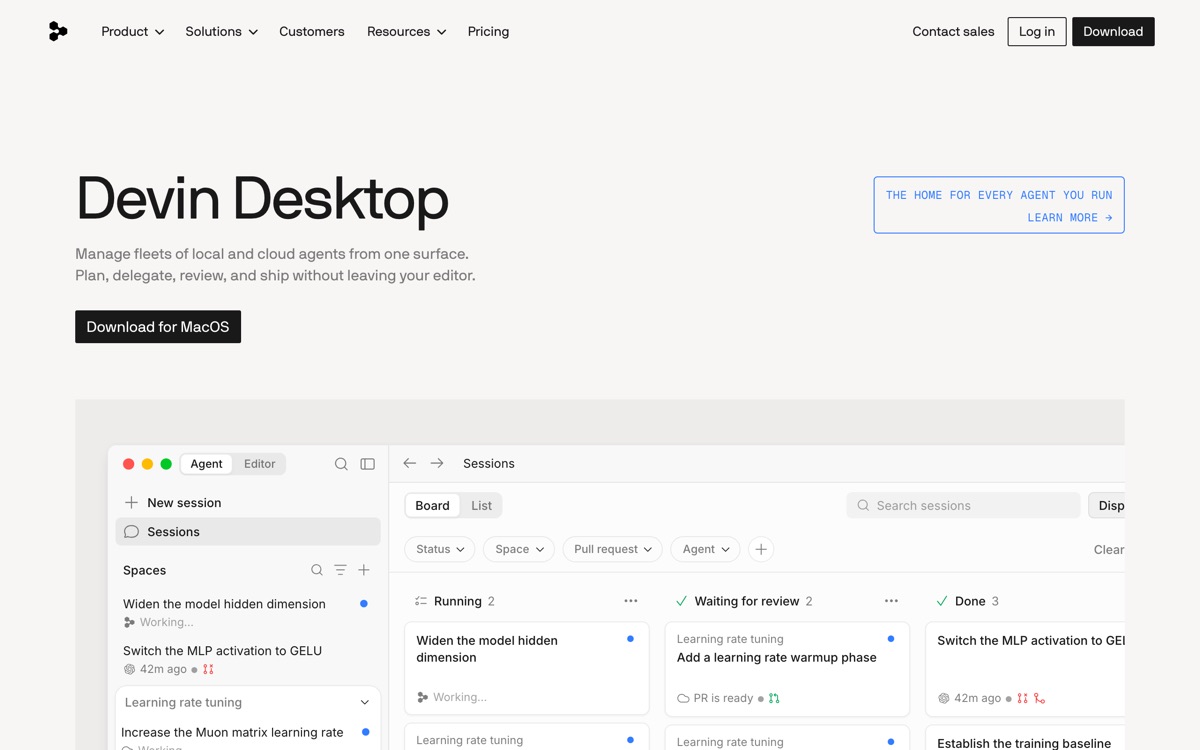
The agentic VS Code fork now shipping as Devin Desktop under Cognition.
Pricing
Verified 14 Jul 2026· sourceOverview
Windsurf is the AI-first code editor built around Cascade, an agent that reads across your repo, edits multiple files and runs commands, paired with a tab-completion model marketed as Supercomplete. As of its latest rebrand it ships as Devin Desktop: Cognition, which acquired Windsurf, has folded the editor into its Devin agent line, keeping the IDE foundation and repositioning it as a control surface for running agents. Existing plans, extensions and settings carried over, and the JetBrains plugins continue separately. Functionally it remains the closest direct rival to Cursor — a VS Code fork where the agent is the primary interface rather than a sidebar. The honest caveat is corporate, not technical. This product has been Codeium, then Windsurf, then Devin Desktop inside roughly two years, and its roadmap now serves a broader agent platform rather than the editor itself. That is a real risk to weigh if you are standardising a team on it.
Features
Pros & cons
Pros
- Agent-first editing is genuinely fast once you trust it with multi-file changes
- Free tier exists, and paid entry pricing sits at the same level as most rivals
- Inherits the VS Code extension ecosystem, so you are not giving up your tooling
- JetBrains users get a real plugin rather than being told to switch editors
Cons
- Three brand identities in under two years — Codeium, Windsurf, now Devin Desktop — which makes tutorials, docs and forum answers unreliable
- Product direction is now set by Cognition's agent platform strategy, not by editor users
- Free-plan quota is light and model availability on it is restricted
- Quota-based billing makes it hard to predict monthly cost for a heavy user
Who Windsurf is for
Windsurf is built for people working with coding tools. Its free plan makes it easy to evaluate before paying, which suits both individuals and growing teams. Users most often highlight agent-first editing is genuinely fast once you trust it with multi-file changes.
How Windsurf compares in AI Coding Tools
Within coding tools, the closest alternatives to Windsurf are GitHub Copilot, Zed, Cursor — it is worth comparing them side by side on price and the specific features you need before deciding.
Windsurf pricing
Windsurf offers a free plan with paid upgrades. You can start for free and pay only when you need higher limits, advanced features or team seats. See the full Windsurf pricing breakdown →
Windsurf FAQ
Is Windsurf worth it?
Windsurf is most often praised for agent-first editing is genuinely fast once you trust it with multi-file changes. The main trade-off is that three brand identities in under two years — codeium, windsurf, now devin desktop — which makes tutorials, docs and forum answers unreliable. For most coding tools needs it is a credible choice — trial it against one or two alternatives before you commit. ToolsPantry does not yet carry user reviews for this tool.
Is Windsurf free?
Windsurf offers a free plan with paid upgrades. You can start for free and pay only when you need higher limits, advanced features or team seats.
What are the downsides of Windsurf?
The most commonly noted drawbacks are: Three brand identities in under two years — Codeium, Windsurf, now Devin Desktop — which makes tutorials, docs and forum answers unreliable; Product direction is now set by Cognition's agent platform strategy, not by editor users; Free-plan quota is light and model availability on it is restricted; Quota-based billing makes it hard to predict monthly cost for a heavy user. None are dealbreakers for everyone, but weigh them against your specific workflow.
What are the best alternatives to Windsurf?
Strong alternatives in coding tools include GitHub Copilot, Zed, Cursor, Replit AI. See the full ranked list on the Windsurf alternatives page.
The verdict
Windsurf is a coding tools option, best known for agent-first editing is genuinely fast once you trust it with multi-file changes. The main trade-off is that three brand identities in under two years — codeium, windsurf, now devin desktop — which makes tutorials, docs and forum answers unreliable. Start on the free plan and compare it against the alternatives below before committing.
Embed a badge
Show visitors Windsurf is on ToolsPantry. Paste this into your site — it links back here. About badges →
<a href="https://toolspantry.com/tools/windsurf" target="_blank" rel="noopener">
  <img src="https://toolspantry.com/tools/windsurf/badge" alt="Windsurf on ToolsPantry" width="252" height="60" />
</a>