
Chat a full-stack web app into existence in the browser, then watch it burn tokens debugging itself.
Pricing
Verified 14 Jul 2026· sourceOverview
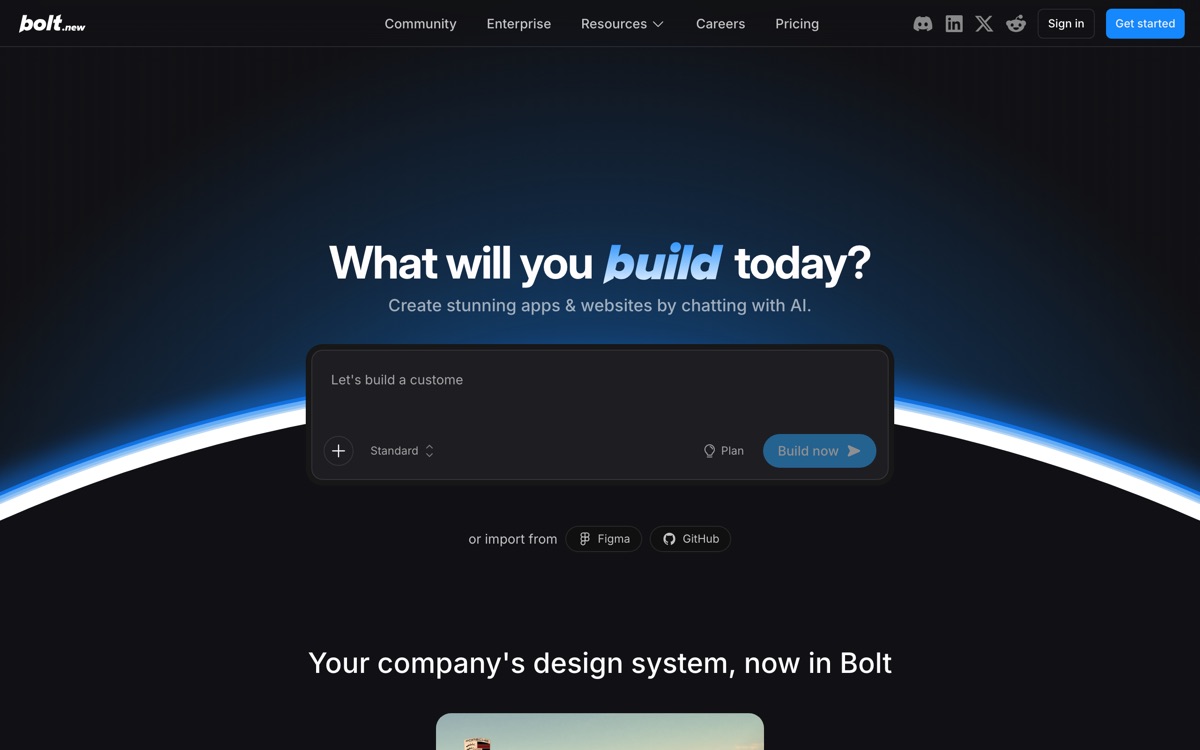
Bolt, from StackBlitz, builds and runs web applications entirely in the browser using WebContainers — a Node runtime compiled to WebAssembly. That architecture is the real story: no cloud sandbox to spin up, no local setup, and the dev server is running in your tab within seconds of the first prompt. You describe an app, it scaffolds it, and you can edit code directly or keep chatting. It imports from Figma and GitHub, and Bolt Cloud adds hosting, a database, auth and custom domains so a prototype can become something you actually ship. The free plan gives a daily token allowance, with paid tiers lifting the daily cap. The honest weakness is the economics of failure. Tokens are consumed whether Bolt fixes your bug or flails at it, and it does sometimes flail — particularly once a project grows past a few dozen files. Treat it as a superb prototyping and demo tool, and plan for a developer to take the codebase over.
Features
Pros & cons
Pros
- Fastest path from idea to a running, shareable web app that exists today
- Zero environment setup — it genuinely runs in a browser tab
- You get real code you can export, not a proprietary no-code artefact
- Free daily allowance is enough to evaluate it properly
Cons
- Failed debugging attempts cost the same tokens as successful ones, and it can loop
- Output quality and coherence degrade noticeably as the project grows
- The browser runtime cannot handle everything — native dependencies and heavy backends are out of scope
- Non-developers hit a hard ceiling the moment something breaks in a way chat cannot fix
Who Bolt is for
Bolt is built for people working with coding tools. Its free plan makes it easy to evaluate before paying, which suits both individuals and growing teams. Users most often highlight fastest path from idea to a running, shareable web app that exists today.
How Bolt compares in AI Coding Tools
Within coding tools, the closest alternatives to Bolt are GitHub Copilot, Zed, Cursor — it is worth comparing them side by side on price and the specific features you need before deciding.
Bolt pricing
Bolt offers a free plan with paid upgrades. You can start for free and pay only when you need higher limits, advanced features or team seats. See the full Bolt pricing breakdown →
Bolt FAQ
Is Bolt worth it?
Bolt is most often praised for fastest path from idea to a running, shareable web app that exists today. The main trade-off is that failed debugging attempts cost the same tokens as successful ones, and it can loop. For most coding tools needs it is a credible choice — trial it against one or two alternatives before you commit. ToolsPantry does not yet carry user reviews for this tool.
Is Bolt free?
Bolt offers a free plan with paid upgrades. You can start for free and pay only when you need higher limits, advanced features or team seats.
What are the downsides of Bolt?
The most commonly noted drawbacks are: Failed debugging attempts cost the same tokens as successful ones, and it can loop; Output quality and coherence degrade noticeably as the project grows; The browser runtime cannot handle everything — native dependencies and heavy backends are out of scope; Non-developers hit a hard ceiling the moment something breaks in a way chat cannot fix. None are dealbreakers for everyone, but weigh them against your specific workflow.
What are the best alternatives to Bolt?
Strong alternatives in coding tools include GitHub Copilot, Zed, Cursor, Replit AI. See the full ranked list on the Bolt alternatives page.
The verdict
Bolt is a coding tools option, best known for fastest path from idea to a running, shareable web app that exists today. The main trade-off is that failed debugging attempts cost the same tokens as successful ones, and it can loop. Start on the free plan and compare it against the alternatives below before committing.
Embed a badge
Show visitors Bolt is on ToolsPantry. Paste this into your site — it links back here. About badges →
<a href="https://toolspantry.com/tools/bolt-new" target="_blank" rel="noopener">
  <img src="https://toolspantry.com/tools/bolt-new/badge" alt="Bolt on ToolsPantry" width="252" height="60" />
</a>