
Meeting notes plus analytics on how the meeting actually went — for better or worse.
Pricing
Verified 14 Jul 2026· sourceOverview
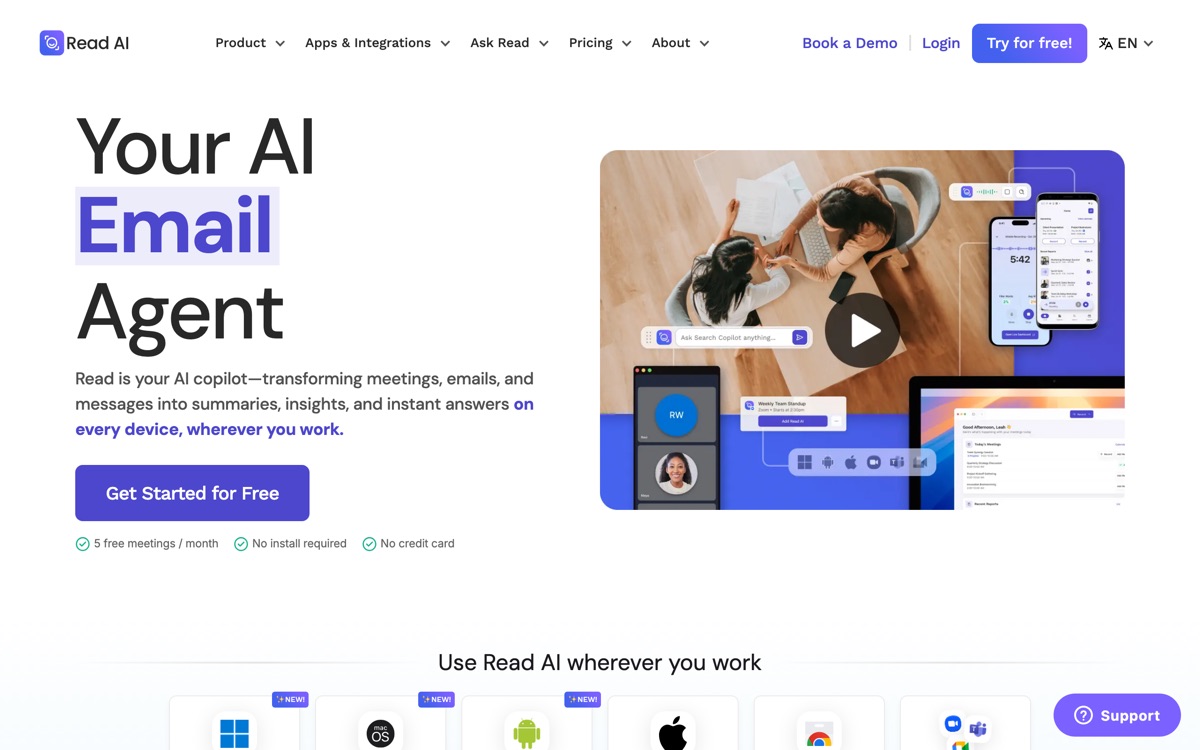
Read AI does the expected things — joins calls, transcribes, summarises, extracts action items — and then adds a layer most rivals leave alone: meeting analytics. It scores engagement and sentiment, tracks who spoke and for how long, and reports on whether your meetings are worth the calendar space. It has since extended the same idea across email and messages, positioning itself as a general work-context assistant rather than only a notetaker. Whether the analytics are a feature or a liability depends entirely on your organisation. Used well, the participation data is a fair prompt to run shorter meetings. Used badly, it is surveillance, and staff will read it that way — this is the one tool in the category that needs a conversation with your team before you switch it on. The core notes are good but not obviously better than Fathom's, and the free tier is tighter. Buy it for the analytics or do not buy it at all.
Features
Pros & cons
Pros
- The only mainstream option that seriously analyses meeting quality, not just content
- Talk-time data is a useful, concrete lever for fixing bad recurring meetings
- Broad platform coverage across video, email and chat
Cons
- Sentiment and engagement scoring feels like surveillance to many employees and needs buy-in first
- The scores are inferences, not measurements — treat them as directional at best
- Core note-taking is merely competent next to Fathom or Granola
- Free tier is restrictive; the analytics you are buying it for sit on paid plans
Who Read AI is for
Read AI is built for people working with meeting tools. Its free plan makes it easy to evaluate before paying, which suits both individuals and growing teams. Users most often highlight the only mainstream option that seriously analyses meeting quality, not just content.
How Read AI compares in AI Meeting Tools
Within meeting tools, the closest alternatives to Read AI are Otter.ai, Fireflies.ai, Granola — it is worth comparing them side by side on price and the specific features you need before deciding.
Read AI pricing
Read AI offers a free plan with paid upgrades. You can start for free and pay only when you need higher limits, advanced features or team seats. See the full Read AI pricing breakdown →
Read AI FAQ
Is Read AI worth it?
Read AI is most often praised for the only mainstream option that seriously analyses meeting quality, not just content. The main trade-off is that sentiment and engagement scoring feels like surveillance to many employees and needs buy-in first. For most meeting tools needs it is a credible choice — trial it against one or two alternatives before you commit. ToolsPantry does not yet carry user reviews for this tool.
Is Read AI free?
Read AI offers a free plan with paid upgrades. You can start for free and pay only when you need higher limits, advanced features or team seats.
What are the downsides of Read AI?
The most commonly noted drawbacks are: Sentiment and engagement scoring feels like surveillance to many employees and needs buy-in first; The scores are inferences, not measurements — treat them as directional at best; Core note-taking is merely competent next to Fathom or Granola; Free tier is restrictive; the analytics you are buying it for sit on paid plans. None are dealbreakers for everyone, but weigh them against your specific workflow.
What are the best alternatives to Read AI?
Strong alternatives in meeting tools include Otter.ai, Fireflies.ai, Granola, Fathom. See the full ranked list on the Read AI alternatives page.
The verdict
Read AI is a meeting tools option, best known for the only mainstream option that seriously analyses meeting quality, not just content. The main trade-off is that sentiment and engagement scoring feels like surveillance to many employees and needs buy-in first. Start on the free plan and compare it against the alternatives below before committing.
Embed a badge
Show visitors Read AI is on ToolsPantry. Paste this into your site — it links back here. About badges →
<a href="https://toolspantry.com/tools/read-ai" target="_blank" rel="noopener">
  <img src="https://toolspantry.com/tools/read-ai/badge" alt="Read AI on ToolsPantry" width="252" height="60" />
</a>Alternatives to Read AI

Free meeting notes that are good enough that you keep wondering where the catch is.

A meeting recorder built for sales and ops teams that want the data to land in the CRM.

Meeting notes without a bot — it listens through your Mac and edits what you already typed.