
Meeting notes without a bot — it listens through your Mac and edits what you already typed.
Pricing
Verified 14 Jul 2026· sourceOverview
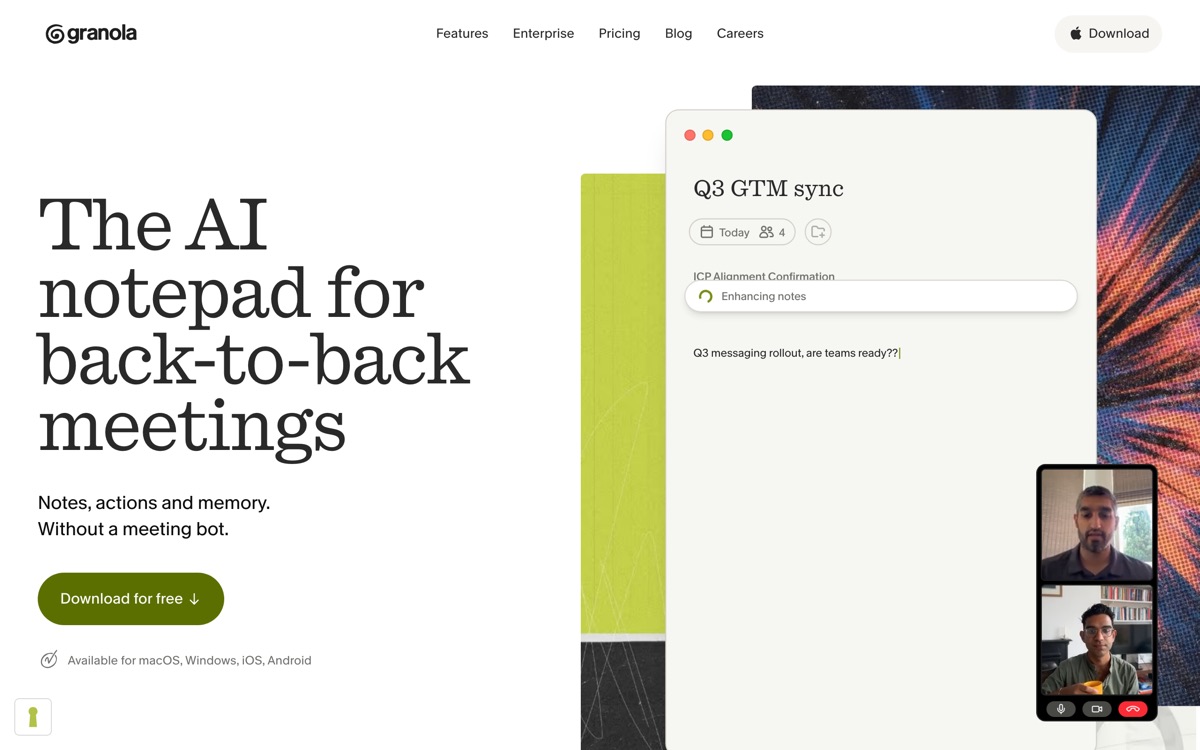
Granola takes a deliberately different route to every other tool here. There is no bot. It captures system audio directly on your machine, so nobody in the meeting sees a third participant, and nobody has to be asked for consent to a robot they can see. The other design choice is more interesting: you are expected to type rough notes during the call, and Granola merges your fragments with the transcript into a coherent write-up afterwards. The output reflects what you thought was important rather than what an LLM guessed was important, and that difference is very noticeable in practice. The cost of this approach is real constraints. It is a desktop app with a strong Mac orientation, so it is not a universal answer. Because it records locally it depends on you being present and on the machine staying awake. And it will not retro-summarise a call you did not attend the way a bot-based recorder will. If you take notes anyway, this is the best fit in the category.
Features
Pros & cons
Pros
- No visible bot, which removes the most awkward part of AI notetaking
- Notes reflect your judgement of what mattered, not just the model's
- Clean, fast interface with very little configuration to wade through
Cons
- Desktop-only and heavily Mac-oriented; other platforms are second-class
- Requires you to actually attend and stay on the machine — no unattended capture
- Assumes you type notes; if you do not, its main advantage evaporates
- Free usage is capped and the paid plan is priced at the premium end of the category
Who Granola is for
Granola is built for people working with meeting tools. Its free plan makes it easy to evaluate before paying, which suits both individuals and growing teams. Users most often highlight no visible bot, which removes the most awkward part of ai notetaking.
How Granola compares in AI Meeting Tools
Within meeting tools, the closest alternatives to Granola are Otter.ai, Fireflies.ai, Fathom — it is worth comparing them side by side on price and the specific features you need before deciding.
Granola pricing
Granola offers a free plan with paid upgrades. You can start for free and pay only when you need higher limits, advanced features or team seats. See the full Granola pricing breakdown →
Granola FAQ
Is Granola worth it?
Granola is most often praised for no visible bot, which removes the most awkward part of ai notetaking. The main trade-off is that desktop-only and heavily mac-oriented; other platforms are second-class. For most meeting tools needs it is a credible choice — trial it against one or two alternatives before you commit. ToolsPantry does not yet carry user reviews for this tool.
Is Granola free?
Granola offers a free plan with paid upgrades. You can start for free and pay only when you need higher limits, advanced features or team seats.
What are the downsides of Granola?
The most commonly noted drawbacks are: Desktop-only and heavily Mac-oriented; other platforms are second-class; Requires you to actually attend and stay on the machine — no unattended capture; Assumes you type notes; if you do not, its main advantage evaporates; Free usage is capped and the paid plan is priced at the premium end of the category. None are dealbreakers for everyone, but weigh them against your specific workflow.
What are the best alternatives to Granola?
Strong alternatives in meeting tools include Otter.ai, Fireflies.ai, Fathom, Read AI. See the full ranked list on the Granola alternatives page.
The verdict
Granola is a meeting tools option, best known for no visible bot, which removes the most awkward part of ai notetaking. The main trade-off is that desktop-only and heavily mac-oriented; other platforms are second-class. Start on the free plan and compare it against the alternatives below before committing.
Embed a badge
Show visitors Granola is on ToolsPantry. Paste this into your site — it links back here. About badges →
<a href="https://toolspantry.com/tools/granola" target="_blank" rel="noopener">
  <img src="https://toolspantry.com/tools/granola/badge" alt="Granola on ToolsPantry" width="252" height="60" />
</a>Alternatives to Granola

Free meeting notes that are good enough that you keep wondering where the catch is.

A meeting recorder built for sales and ops teams that want the data to land in the CRM.

The meeting recorder that shows you the transcript as the call is still happening.