Upload a PDF, ask it questions, get answers with the page they came from.
Pricing
Verified 14 Jul 2026· sourceOverview
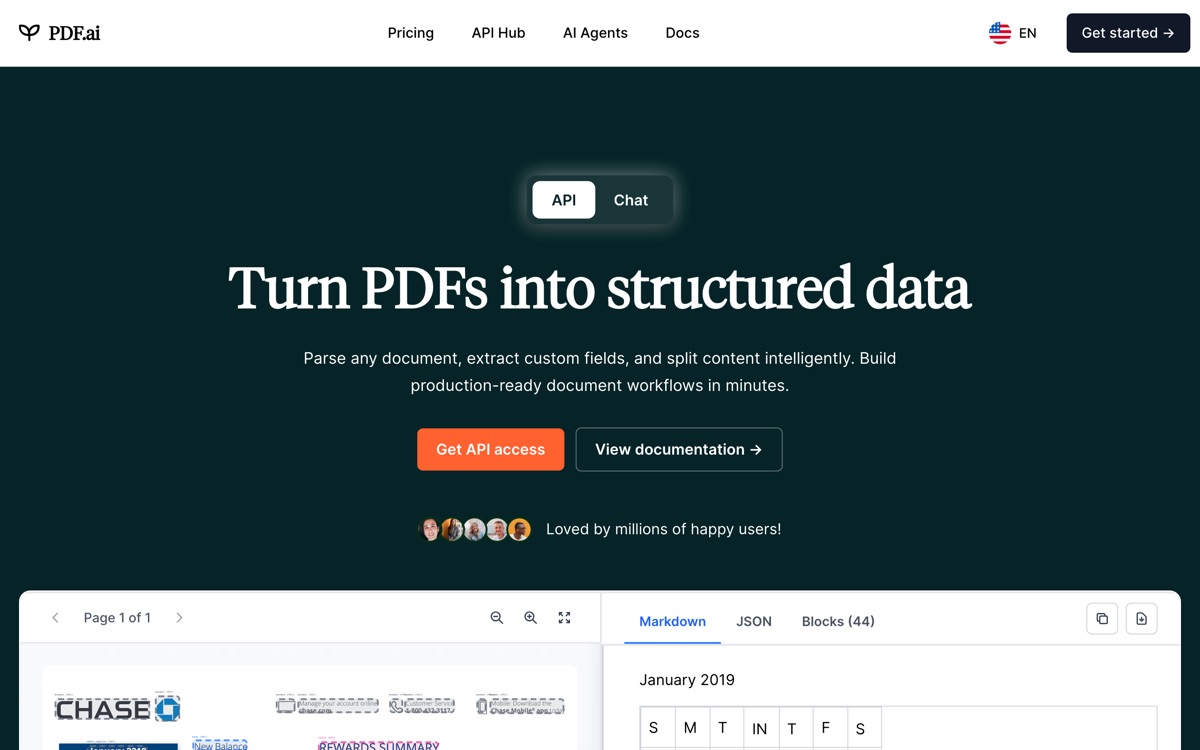
PDF.ai does one job and keeps its scope honest: you upload a document, and then you interrogate it in chat. Answers come back with citations to the source pages, so you can jump straight to the passage and confirm it rather than taking the model's word — which matters enormously when the document in question is a contract or a research paper. It handles multiple documents in one conversation, offers a Chrome extension so you can query a PDF you are already looking at in the browser, and exposes an API if you want the same capability inside your own product. The limits are the usual ones for a small, focused SaaS. The free tier is a taster — a handful of documents and questions — and everything meaningful requires a subscription. Documents go to their cloud, which is a real consideration for legal or medical files. And because it is a thin layer over a language model, quality on complex tables, scanned pages and equations is patchy. Fine for prose, less so for structured data.
Features
Pros & cons
Pros
- Page-level citations make answers verifiable, which is the whole point for research or legal use
- Simple, focused and immediately understandable — no setup
- The browser extension removes the upload step for PDFs you are already reading
Cons
- Free tier is barely more than a demo; real use needs a subscription
- Documents are uploaded to a third-party cloud — a problem for sensitive material
- Struggles with complex tables, equations and poorly scanned pages
- Little to differentiate it from a growing crowd of near-identical PDF chat tools
Who PDF.ai is for
PDF.ai is built for people working with pdf tools. Its free plan makes it easy to evaluate before paying, which suits both individuals and growing teams. Users most often highlight page-level citations make answers verifiable, which is the whole point for research or legal use.
How PDF.ai compares in AI PDF Tools
Within pdf tools, the closest alternatives to PDF.ai are Afforai, Smallpdf, Adobe Acrobat AI Assistant — it is worth comparing them side by side on price and the specific features you need before deciding.
PDF.ai pricing
PDF.ai offers a free plan with paid upgrades. You can start for free and pay only when you need higher limits, advanced features or team seats. See the full PDF.ai pricing breakdown →
PDF.ai FAQ
Is PDF.ai worth it?
PDF.ai is most often praised for page-level citations make answers verifiable, which is the whole point for research or legal use. The main trade-off is that free tier is barely more than a demo; real use needs a subscription. For most pdf tools needs it is a credible choice — trial it against one or two alternatives before you commit. ToolsPantry does not yet carry user reviews for this tool.
Is PDF.ai free?
PDF.ai offers a free plan with paid upgrades. You can start for free and pay only when you need higher limits, advanced features or team seats.
What are the downsides of PDF.ai?
The most commonly noted drawbacks are: Free tier is barely more than a demo; real use needs a subscription; Documents are uploaded to a third-party cloud — a problem for sensitive material; Struggles with complex tables, equations and poorly scanned pages; Little to differentiate it from a growing crowd of near-identical PDF chat tools. None are dealbreakers for everyone, but weigh them against your specific workflow.
What are the best alternatives to PDF.ai?
Strong alternatives in pdf tools include Afforai, Smallpdf, Adobe Acrobat AI Assistant. See the full ranked list on the PDF.ai alternatives page.
The verdict
PDF.ai is a pdf tools option, best known for page-level citations make answers verifiable, which is the whole point for research or legal use. The main trade-off is that free tier is barely more than a demo; real use needs a subscription. Start on the free plan and compare it against the alternatives below before committing.
Embed a badge
Show visitors PDF.ai is on ToolsPantry. Paste this into your site — it links back here. About badges →
<a href="https://toolspantry.com/tools/pdf-ai" target="_blank" rel="noopener">
  <img src="https://toolspantry.com/tools/pdf-ai/badge" alt="PDF.ai on ToolsPantry" width="252" height="60" />
</a>Alternatives to PDF.ai

Chat with your PDFs inside the software your organisation already licenses.

A document-chat research assistant aimed at people managing a whole library, not one file.

The browser's PDF toolbox — convert, compress, sign, merge — with AI bolted on later.