
The meeting recorder that shows you the transcript as the call is still happening.
Pricing
Verified 14 Jul 2026· sourceOverview
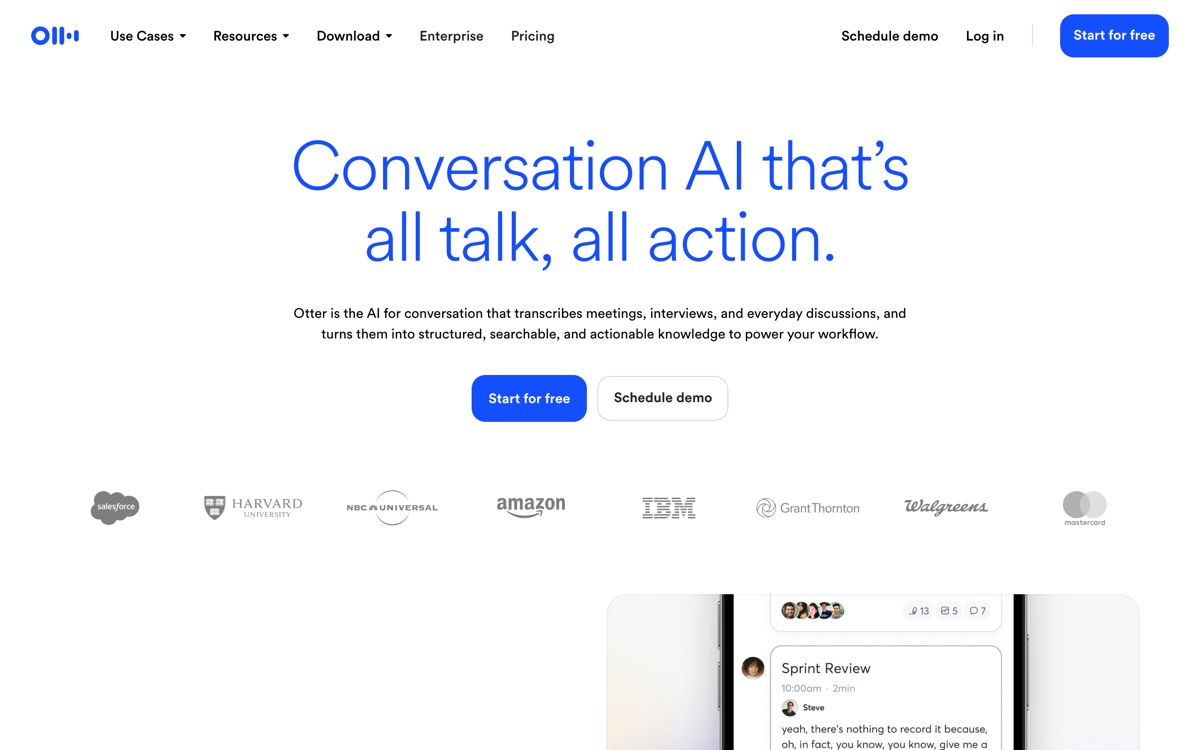
Otter is the tool most people meet first when they go looking for automatic meeting notes, and it still earns that position on one specific strength: the live transcript. Words appear as they are spoken, in a pane you can scroll, search and highlight mid-call, which is genuinely useful if you have joined a meeting late or need to check what someone said four minutes ago without interrupting. It connects to Zoom, Google Meet and Teams, splits speakers, and produces a summary plus action items afterwards. Where it shows its age is the summarisation itself. Newer rivals built around modern language models write tighter, more decision-oriented recaps, while Otter's tend to restate the conversation rather than distil it. The bot also joins visibly, which is fine internally and awkward on a sales call with a cautious prospect. Treat it as a transcription tool with summaries attached, not the other way round, and it is a reasonable free starting point.
Features
Pros & cons
Pros
- The live transcript view is still the best-executed version of this feature
- Free tier is usable rather than a token trial
- Searchable archive makes old meetings genuinely retrievable
Cons
- Summaries are noticeably weaker than newer AI-first rivals
- The notetaker bot appears as a visible participant, which can be awkward with external guests
- Accuracy degrades on crosstalk and strong accents
- Free plan's monthly minute allowance runs out fast for anyone in back-to-back calls
Who Otter.ai is for
Otter.ai is built for people working with meeting tools. Its free plan makes it easy to evaluate before paying, which suits both individuals and growing teams. Users most often highlight the live transcript view is still the best-executed version of this feature.
How Otter.ai compares in AI Meeting Tools
Within meeting tools, the closest alternatives to Otter.ai are Fireflies.ai, Granola, Fathom — it is worth comparing them side by side on price and the specific features you need before deciding.
Otter.ai pricing
Otter.ai offers a free plan with paid upgrades. You can start for free and pay only when you need higher limits, advanced features or team seats. See the full Otter.ai pricing breakdown →
Otter.ai FAQ
Is Otter.ai worth it?
Otter.ai is most often praised for the live transcript view is still the best-executed version of this feature. The main trade-off is that summaries are noticeably weaker than newer ai-first rivals. For most meeting tools needs it is a credible choice — trial it against one or two alternatives before you commit. ToolsPantry does not yet carry user reviews for this tool.
Is Otter.ai free?
Otter.ai offers a free plan with paid upgrades. You can start for free and pay only when you need higher limits, advanced features or team seats.
What are the downsides of Otter.ai?
The most commonly noted drawbacks are: Summaries are noticeably weaker than newer AI-first rivals; The notetaker bot appears as a visible participant, which can be awkward with external guests; Accuracy degrades on crosstalk and strong accents; Free plan's monthly minute allowance runs out fast for anyone in back-to-back calls. None are dealbreakers for everyone, but weigh them against your specific workflow.
What are the best alternatives to Otter.ai?
Strong alternatives in meeting tools include Fireflies.ai, Granola, Fathom, Read AI. See the full ranked list on the Otter.ai alternatives page.
The verdict
Otter.ai is a meeting tools option, best known for the live transcript view is still the best-executed version of this feature. The main trade-off is that summaries are noticeably weaker than newer ai-first rivals. Start on the free plan and compare it against the alternatives below before committing.
Embed a badge
Show visitors Otter.ai is on ToolsPantry. Paste this into your site — it links back here. About badges →
<a href="https://toolspantry.com/tools/otter-ai" target="_blank" rel="noopener">
  <img src="https://toolspantry.com/tools/otter-ai/badge" alt="Otter.ai on ToolsPantry" width="252" height="60" />
</a>Alternatives to Otter.ai

Free meeting notes that are good enough that you keep wondering where the catch is.

A meeting recorder built for sales and ops teams that want the data to land in the CRM.

Meeting notes without a bot — it listens through your Mac and edits what you already typed.