
An AI reviewer on every pull request — thorough, occasionally exhausting.
Pricing
Verified 14 Jul 2026· sourceOverview
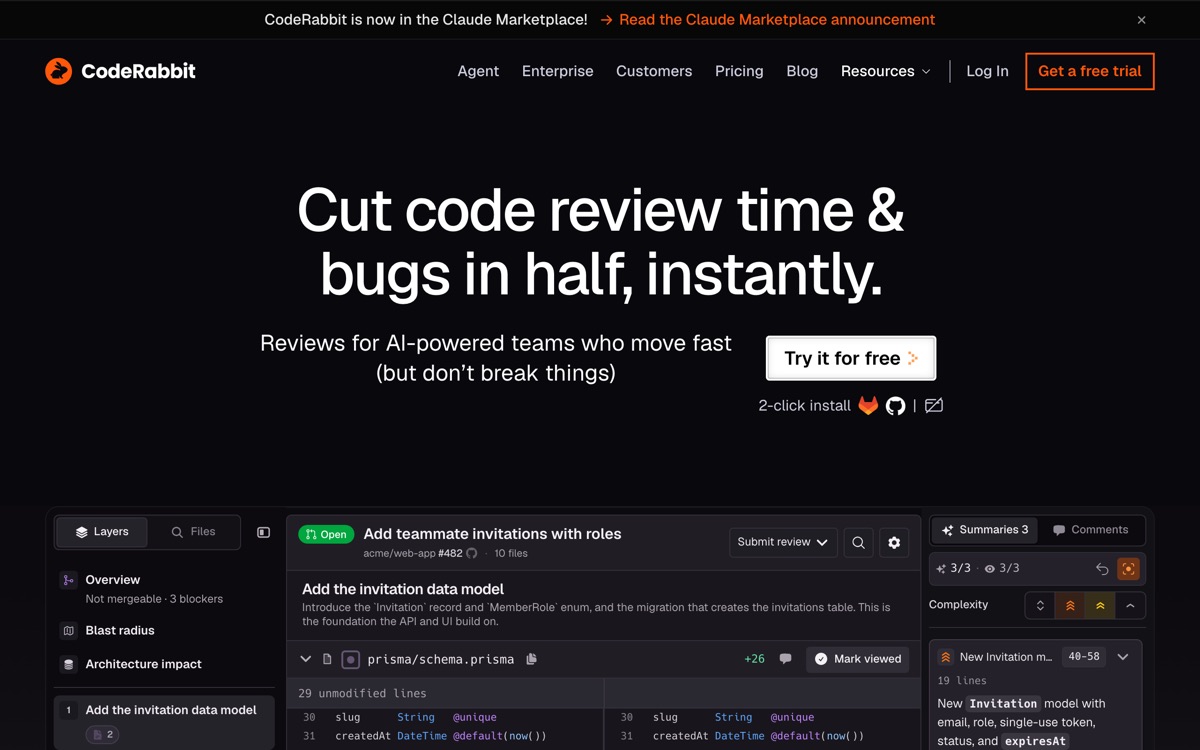
CodeRabbit attaches an AI reviewer to your pull requests across GitHub, GitLab, Bitbucket and Azure DevOps. It posts a summary of the change, then line-level comments with concrete suggestions, and it will hold a conversation in the thread if you push back. It also runs in your IDE and CLI so you can catch issues before you open the PR. Its free plan is unusually generous by the standards of this category: unlimited public and private repositories with summarisation and IDE reviews, with paid per-seat tiers unlocking the deeper review features. Where it earns its keep is on teams where PRs sit unreviewed for a day because everyone is busy — a fast, competent first pass is worth a lot. Where it grates is volume. CodeRabbit has a strong tendency to comment, and a meaningful fraction of what it flags is nitpicking that a human reviewer would silently let through. Tune its configuration early or your team will start ignoring it, which defeats the point.
Features
Pros & cons
Pros
- Free tier is real and covers private repositories, not just open source
- Fast first-pass review keeps PRs from stalling on human availability
- Suggestions are usually applicable directly, not vague advice
- Works across all four major forges, not just GitHub
Cons
- Comment volume is high by default and includes a lot of nitpicking — expect to tune it
- Reviewer fatigue is a genuine risk; teams start rubber-stamping its output
- It reviews code, not architecture — it will approve a well-written bad design
- Per-seat pricing on the paid tiers adds up quickly across a large engineering org
Who CodeRabbit is for
CodeRabbit is built for people working with developer tools. Its free plan makes it easy to evaluate before paying, which suits both individuals and growing teams. Users most often highlight free tier is real and covers private repositories, not just open source.
How CodeRabbit compares in AI Developer Tools
Within developer tools, the closest alternatives to CodeRabbit are Qodo, Sourcegraph, Codacy — it is worth comparing them side by side on price and the specific features you need before deciding.
CodeRabbit pricing
CodeRabbit offers a free plan with paid upgrades. You can start for free and pay only when you need higher limits, advanced features or team seats. See the full CodeRabbit pricing breakdown →
CodeRabbit FAQ
Is CodeRabbit worth it?
CodeRabbit is most often praised for free tier is real and covers private repositories, not just open source. The main trade-off is that comment volume is high by default and includes a lot of nitpicking — expect to tune it. For most developer tools needs it is a credible choice — trial it against one or two alternatives before you commit. ToolsPantry does not yet carry user reviews for this tool.
Is CodeRabbit free?
CodeRabbit offers a free plan with paid upgrades. You can start for free and pay only when you need higher limits, advanced features or team seats.
What are the downsides of CodeRabbit?
The most commonly noted drawbacks are: Comment volume is high by default and includes a lot of nitpicking — expect to tune it; Reviewer fatigue is a genuine risk; teams start rubber-stamping its output; It reviews code, not architecture — it will approve a well-written bad design; Per-seat pricing on the paid tiers adds up quickly across a large engineering org. None are dealbreakers for everyone, but weigh them against your specific workflow.
What are the best alternatives to CodeRabbit?
Strong alternatives in developer tools include Qodo, Sourcegraph, Codacy, Graphite. See the full ranked list on the CodeRabbit alternatives page.
The verdict
CodeRabbit is a developer tools option, best known for free tier is real and covers private repositories, not just open source. The main trade-off is that comment volume is high by default and includes a lot of nitpicking — expect to tune it. Start on the free plan and compare it against the alternatives below before committing.
Embed a badge
Show visitors CodeRabbit is on ToolsPantry. Paste this into your site — it links back here. About badges →
<a href="https://toolspantry.com/tools/coderabbit" target="_blank" rel="noopener">
  <img src="https://toolspantry.com/tools/coderabbit/badge" alt="CodeRabbit on ToolsPantry" width="252" height="60" />
</a>Alternatives to CodeRabbit

Static analysis, security scanning and coverage in one dashboard — plus guardrails for AI-written code.

Code review that indexes the whole repo first, so it catches the bug three files away.

Stacked pull requests, a merge queue, and an AI reviewer on top — but the workflow is the product.