
A desktop app for running local models, for people who do not want to live in a terminal.
Overview
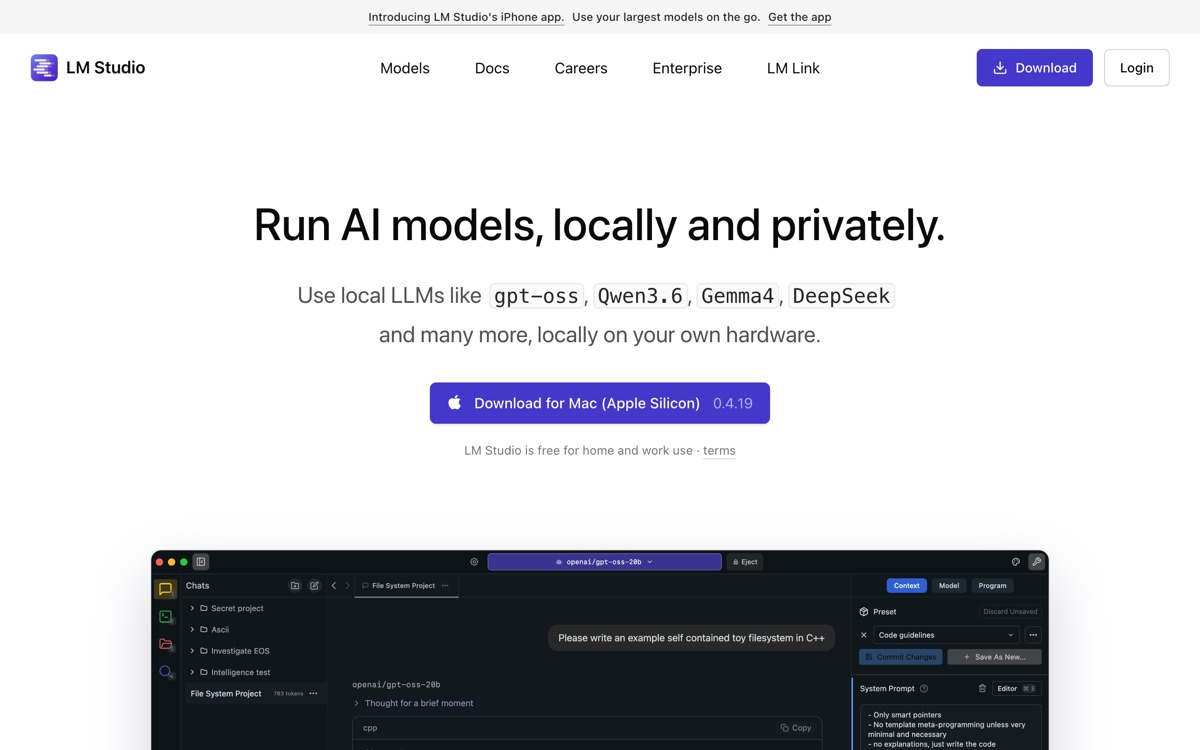
LM Studio is the graphical answer to local model inference. It gives you a browsable catalogue of models pulled from Hugging Face, a chat interface to talk to them, and a local server that exposes an OpenAI-compatible endpoint so other applications can use the model you have loaded. It shows you, before you download anything, whether a given model will actually fit in your machine's memory — a small feature that saves a great deal of wasted bandwidth and frustration. On Apple Silicon it can use MLX as well as llama.cpp, which is a real performance difference. Compared with the command-line alternatives, the appeal is obvious: parameters, context length and quantisation are dials in a window rather than flags you have to look up. The trade-offs: the application itself is not open source even though it is free to use, you are still bounded hard by your hardware, and it is a desktop tool for one person — not a way to deploy anything to anyone else.
Features
Pros & cons
Pros
- Easiest on-ramp to local models for anyone who is not comfortable at a command line
- Tells you up front whether a model will fit in your memory
- The local API server lets other apps use your machine as their model provider
- MLX support gives a real speed advantage on Apple Silicon
Cons
- The application is free but not open source, which matters if that is your reason for going local
- Still hard-bounded by your hardware — the GUI does not make a small model smarter
- A single-user desktop tool with no deployment, sharing or team story
- The abstraction hides tuning knobs that power users will eventually want back
Who LM Studio is for
LM Studio is built for people working with api tools. Being free, it is an easy first choice when you want to get going without a budget. Users most often highlight easiest on-ramp to local models for anyone who is not comfortable at a command line.
How LM Studio compares in AI API Tools
Within api tools, the closest alternatives to LM Studio are Replicate, OpenAI API, Anthropic API — it is worth comparing them side by side on price and the specific features you need before deciding.
LM Studio pricing
LM Studio is free to use — there is no paid tier required for its core features. See the full LM Studio pricing breakdown →
LM Studio FAQ
Is LM Studio worth it?
LM Studio is most often praised for easiest on-ramp to local models for anyone who is not comfortable at a command line. The main trade-off is that the application is free but not open source, which matters if that is your reason for going local. For most api tools needs it is a credible choice — trial it against one or two alternatives before you commit. ToolsPantry does not yet carry user reviews for this tool.
Is LM Studio free?
LM Studio is free to use — there is no paid tier required for its core features.
What are the downsides of LM Studio?
The most commonly noted drawbacks are: The application is free but not open source, which matters if that is your reason for going local; Still hard-bounded by your hardware — the GUI does not make a small model smarter; A single-user desktop tool with no deployment, sharing or team story; The abstraction hides tuning knobs that power users will eventually want back. None are dealbreakers for everyone, but weigh them against your specific workflow.
What are the best alternatives to LM Studio?
Strong alternatives in api tools include Replicate, OpenAI API, Anthropic API, Ollama. See the full ranked list on the LM Studio alternatives page.
The verdict
LM Studio is a api tools option, best known for easiest on-ramp to local models for anyone who is not comfortable at a command line. The main trade-off is that the application is free but not open source, which matters if that is your reason for going local. Start on the free plan and compare it against the alternatives below before committing.
Embed a badge
Show visitors LM Studio is on ToolsPantry. Paste this into your site — it links back here. About badges →
<a href="https://toolspantry.com/tools/lm-studio" target="_blank" rel="noopener">
  <img src="https://toolspantry.com/tools/lm-studio/badge" alt="LM Studio on ToolsPantry" width="252" height="60" />
</a>Alternatives to LM Studio

Claude's API — strong on long context, tool use and code, narrow on everything else.
The public library of open machine learning — vast, essential, and badly in need of a librarian.

Inference on custom silicon, fast enough to change what you can build.