
An affordable all-in-one messaging and support desk with a free tier that actually works.
Pricing
Verified 14 Jul 2026· sourceOverview
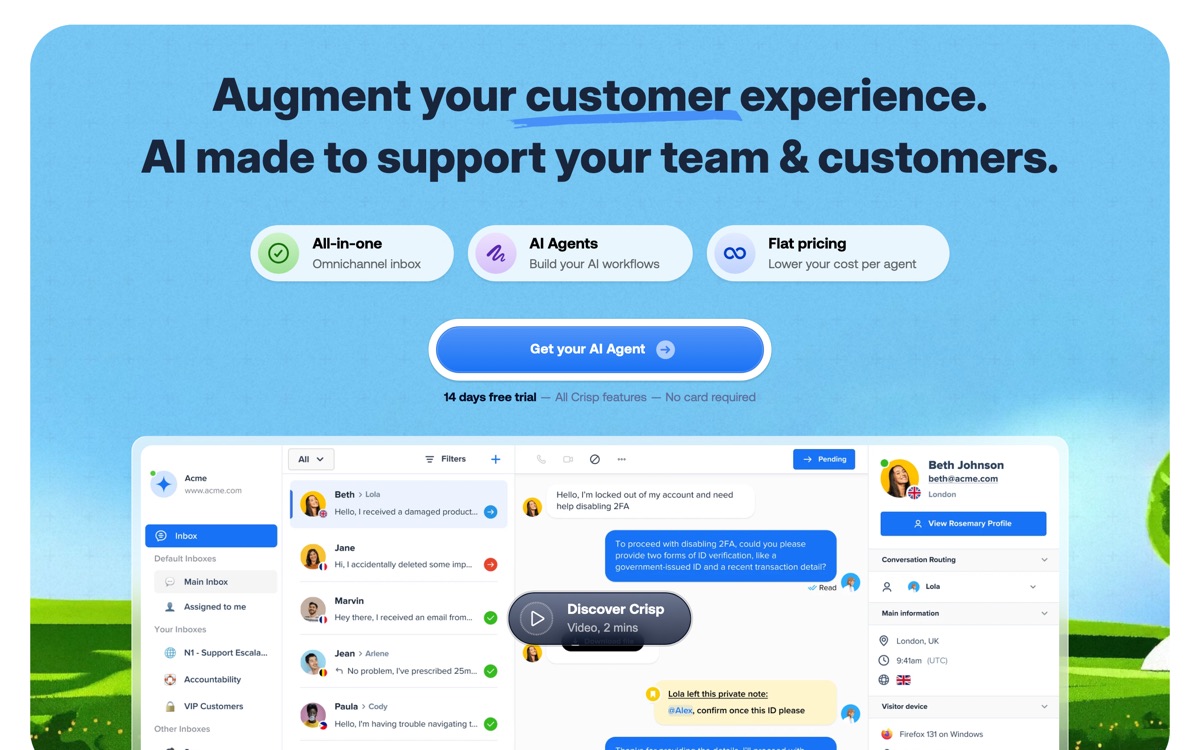
Crisp is the pragmatic choice in a category dominated by expensive incumbents. It bundles live chat, a shared inbox, a knowledge base, chatbot flows and an AI assistant into one product at a fraction of Intercom's price, and its free plan is usable rather than a demo in disguise. It pulls in conversations from email, Messenger, WhatsApp, Instagram and more, so a small team can run every channel from one screen. The AI layer answers common questions from your help articles and drafts replies for agents. Be honest about what you are trading away: Crisp's reporting is basic, its automation builder is fiddly compared with the polish of larger suites, and the AI is competent rather than clever — it will not reason its way through an unusual question the way a better-resourced agent might. For a bootstrapped SaaS, an agency or an e-commerce store where support is a cost to be contained rather than a growth channel, that trade is usually worth making.
Features
Pros & cons
Pros
- Far cheaper than Intercom or Zendesk for comparable core features
- Free plan is genuinely functional for a very small team
- Wide channel coverage out of the box, including WhatsApp
Cons
- Analytics and reporting are shallow compared with enterprise suites
- The AI layer is serviceable but not the strongest in the category
- Automation builder gets clunky once flows grow beyond a few branches
- Fewer enterprise controls, so it thins out as headcount scales
Who Crisp is for
Crisp is built for people working with customer support tools. Its free plan makes it easy to evaluate before paying, which suits both individuals and growing teams. Users most often highlight far cheaper than intercom or zendesk for comparable core features.
How Crisp compares in AI Customer Support Tools
Within customer support tools, the closest alternatives to Crisp are Intercom Fin, Intercom, Zendesk AI — it is worth comparing them side by side on price and the specific features you need before deciding.
Crisp pricing
Crisp offers a free plan with paid upgrades. You can start for free and pay only when you need higher limits, advanced features or team seats. See the full Crisp pricing breakdown →
Crisp FAQ
Is Crisp worth it?
Crisp is most often praised for far cheaper than intercom or zendesk for comparable core features. The main trade-off is that analytics and reporting are shallow compared with enterprise suites. For most customer support tools needs it is a credible choice — trial it against one or two alternatives before you commit. ToolsPantry does not yet carry user reviews for this tool.
Is Crisp free?
Crisp offers a free plan with paid upgrades. You can start for free and pay only when you need higher limits, advanced features or team seats.
What are the downsides of Crisp?
The most commonly noted drawbacks are: Analytics and reporting are shallow compared with enterprise suites; The AI layer is serviceable but not the strongest in the category; Automation builder gets clunky once flows grow beyond a few branches; Fewer enterprise controls, so it thins out as headcount scales. None are dealbreakers for everyone, but weigh them against your specific workflow.
What are the best alternatives to Crisp?
Strong alternatives in customer support tools include Intercom Fin, Intercom, Zendesk AI, Tidio. See the full ranked list on the Crisp alternatives page.
The verdict
Crisp is a customer support tools option, best known for far cheaper than intercom or zendesk for comparable core features. The main trade-off is that analytics and reporting are shallow compared with enterprise suites. Start on the free plan and compare it against the alternatives below before committing.
Embed a badge
Show visitors Crisp is on ToolsPantry. Paste this into your site — it links back here. About badges →
<a href="https://toolspantry.com/tools/crisp" target="_blank" rel="noopener">
  <img src="https://toolspantry.com/tools/crisp/badge" alt="Crisp on ToolsPantry" width="252" height="60" />
</a>